What is it, in one sentence?
When even Google won't load, Aurora still works. No signal on a plane, dead zone in the mountains, throttled data abroad — the moment the internet gives up, every other AI app goes dark. Aurora doesn't.
That's because Aurora is an AI that lives inside your phone instead of on a company's computers. You can talk to it and it answers, and you can ask it to draw a picture and it draws one — all without sending anything to the internet.
Explain it like I'm ten
Imagine you have a really smart robot friend.
Most "AI apps" work like this: when you ask the robot a question, your question gets mailed to a giant building full of computers far away. The robot there reads it, writes an answer, and mails it back. That building keeps a copy of everything you ever asked.
Aurora is different. The robot lives inside your phone. When you ask a question, nobody mails anything anywhere. Your phone does the thinking, right there in your pocket, and shows you the answer. Nobody else ever sees it.
Because the robot is inside the phone, it even works when there's no internet at all — on a plane, in the mountains, in the subway. Switch on Airplane Mode and it keeps answering.
What can you actually do with it?
Scenario 1 — A question on a plane with no Wi-Fi
You're on a flight and want to draft an email, or you're curious how something works. Normally every AI app is useless here because there's no signal. Aurora doesn't care — the model is already on your phone, so you just type and it answers.
Scenario 2 — Curious on a hilltop with no signal
You've hiked up somewhere like the Triund trek in the Himalayas or the Tour du Mont Blanc in the Alps, and you're wondering about the place — what kind of trees these are, how high you've climbed, what to know before heading back down. Up there you almost never have signal, so every normal app is dead weight. Aurora still works: the AI is already on your phone, so you just ask and it answers, right there on the trail.
Scenario 3 — Journaling you don't want anyone to read
Some things are private. If you're writing about your feelings, your health, or a hard day, you don't want it stored on someone's server. With Aurora the conversation never leaves your phone, so you can be honest without wondering who else can read it.
Scenario 4 — "Draw me a picture"
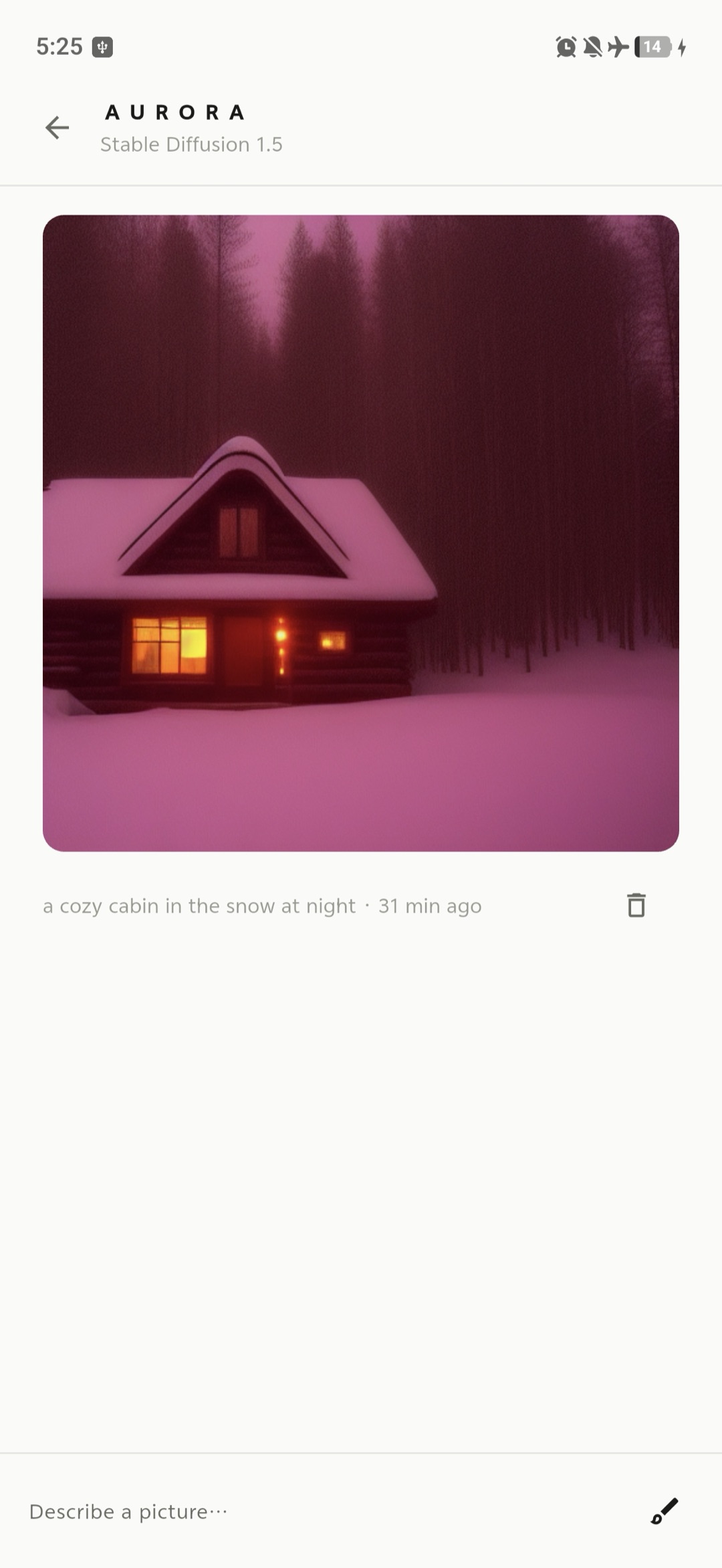
Ask Aurora for "a cozy cabin in the snow at night" and it makes the image right on your phone — no photo you typed about gets uploaded anywhere.
Scenario 5 — Picking the right model for your phone
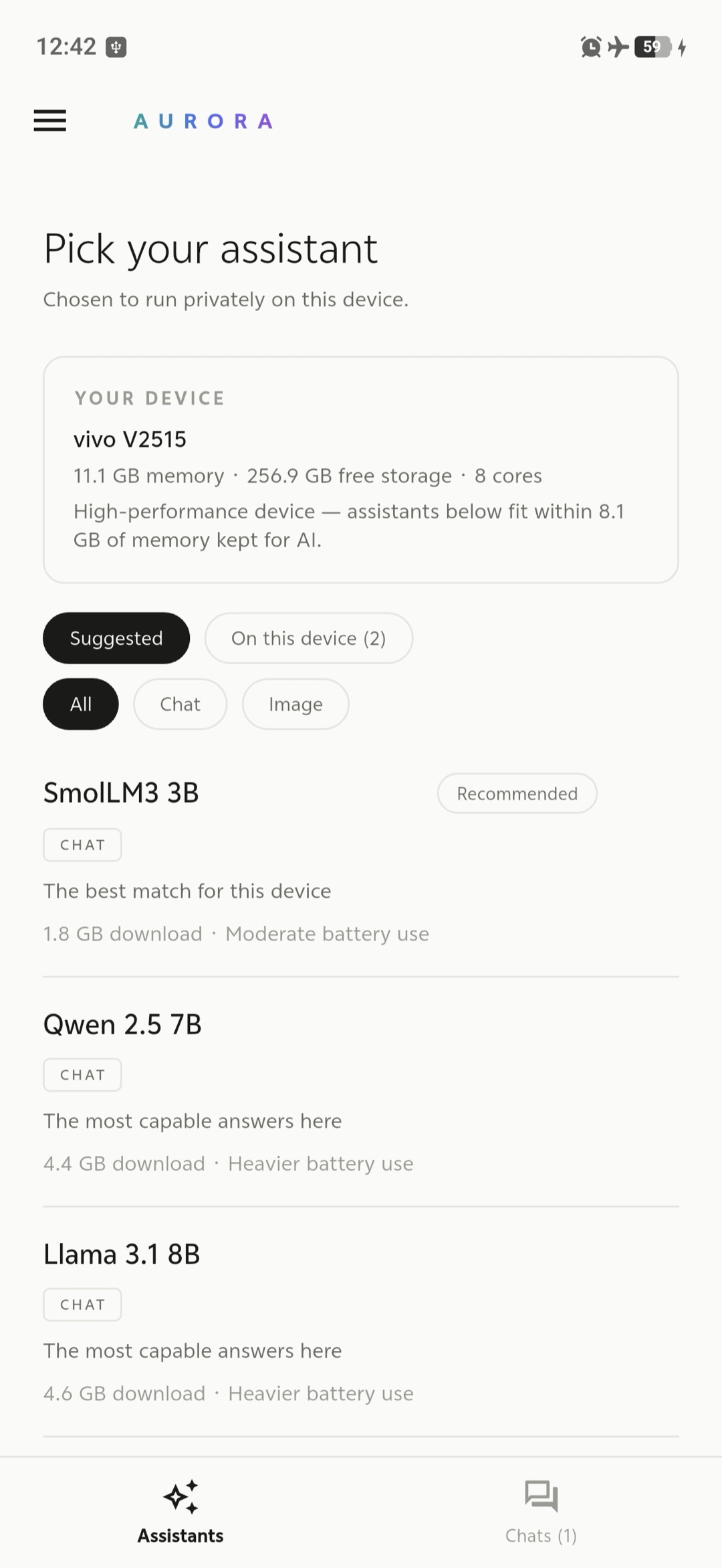
AI models come in different sizes. Big ones are smarter but need a powerful phone; small ones are lighter and run anywhere. Aurora looks at your phone and tells you which ones will actually run well on it — from tiny models for older phones to large ones for the newest — so you never download something that's too heavy and grinds to a halt.
It doesn't just push the biggest one, either. The model it marks Recommended is the one that gives you the best mix of smart and fast on your phone — usually a mid-sized model — while the heavier ones are still there if you want them. It even includes distilled models: a big model's skill squeezed into a smaller one, so they punch above their size on a modest phone.
Scenario 6 — "Is it really private? Prove it."
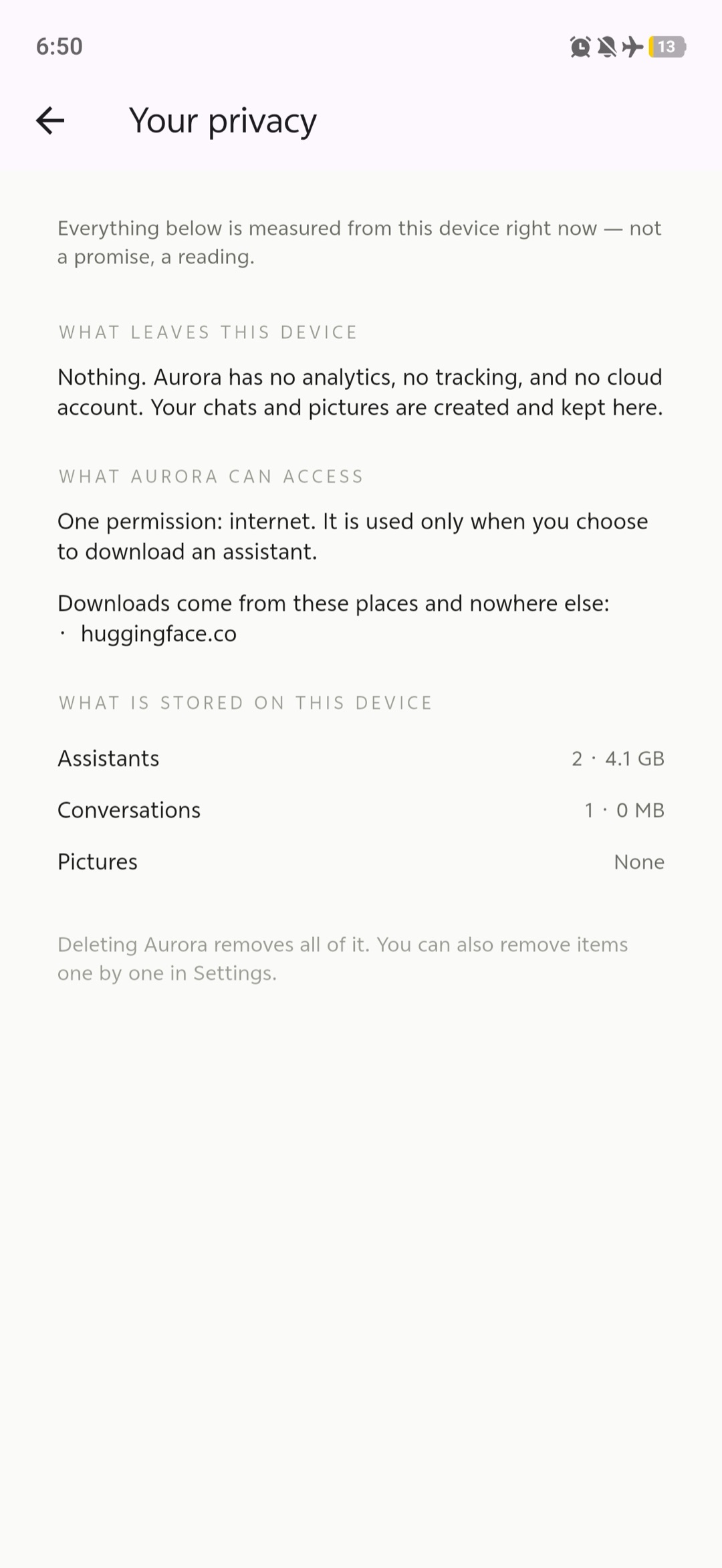
You shouldn't have to trust a privacy promise. Aurora has a screen that checks your phone and shows you the facts: what's stored, that nothing is being sent out, and that there's no hidden tracking. It's the app showing its own receipts.
The features, plainly
- Chat that runs on your phone, with replies that appear as they're written.
- Make pictures from a description, also on your phone.
- Smart model picker that matches AI models to what your phone can handle and recommends the one that runs best — including distilled models that punch above their size.
- Safe downloads — models are checked to make sure they arrived correctly and weren't tampered with, and a download can resume if it drops.
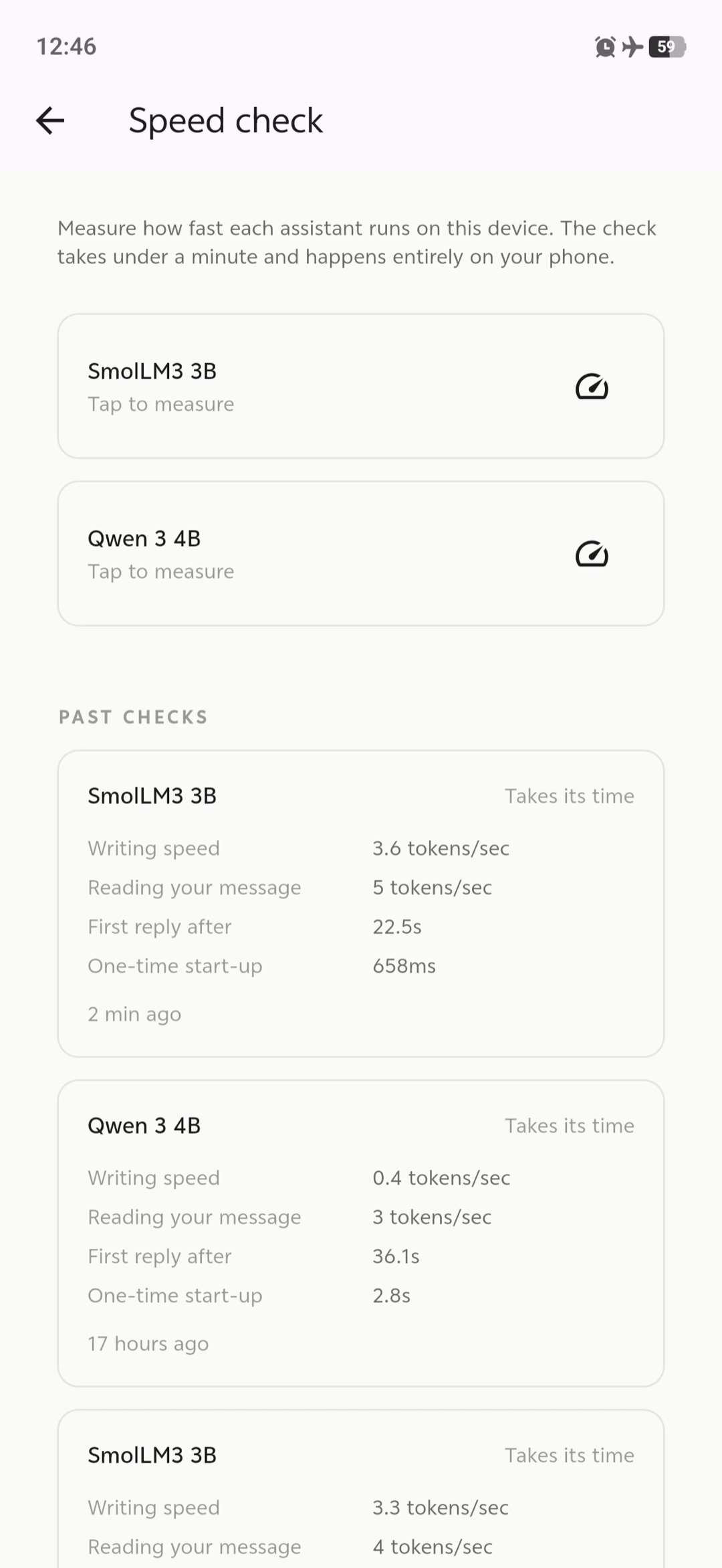
- Speed check that measures how fast the AI runs on your specific phone.
- A privacy screen that shows you, from your actual phone, that nothing is leaving it.
- Light and dark, your choice — Aurora follows your phone's system theme by default, and you can pin it to light or dark from Settings.
- Cleanup controls to delete models or pictures whenever you want — and remove a single conversation with a swipe or a long-press.
How it's built (for the engineers)
The app has two halves that each do one job well:
- Flutter draws everything you see — the screens, the buttons, the text appearing as the AI writes.
- Rust does all the actual thinking and decision-making underneath.
The AI itself runs on two well-known open-source engines, llama.cpp (for chat)
and stable-diffusion.cpp (for images), plugged in so they can be swapped later.
One rule shaped the whole design: only a single, isolated piece of the code is even allowed to touch the internet, and it's only ever used for downloading a model when you ask. The part that actually runs the AI has no way to go online at all. So "your conversations stay on your phone" isn't a promise in a document — the code is physically arranged so it can't happen any other way.
Everything was built in stages, and each stage had to pass a privacy review before the next one started. If a model file is broken or half-downloaded, the app notices and keeps working instead of crashing. And updates install on top of the old version without wiping your models, chats, or pictures.
Stack
- Flutter / Dart — the screens and everything you see
- Rust — all the logic and decisions
- flutter_rust_bridge — connects the two halves
- llama.cpp — runs the chat model on your phone
- stable-diffusion.cpp — makes images on your phone
Try it — join the closed beta
Aurora is heading to the Google Play Store, and before the public launch I'm running a small closed beta on Android. I'm looking for a handful of people to put it through its paces on real phones — different devices, different ways of using it — and tell me what breaks or feels off.
What you'll do: install it through a private Play Store link, use it a few times over a couple of weeks, and share quick feedback. What you need: an Android phone and two minutes to sign up.
If that sounds like you, grab a spot in the beta — I'll add you to the test and send you the install link. Spots are limited, and invites close on July 16, 2026.
Status
Built and running — chat, image generation, the model picker, verified downloads, the speed check, and the privacy screen all work on the device. Now in closed beta on Google Play, ahead of a public release.
Links
- Join the Android closed beta
- Google Play listing — coming with the public launch